Best Video Editing Software for YouTube in 2026 (Free & Paid)
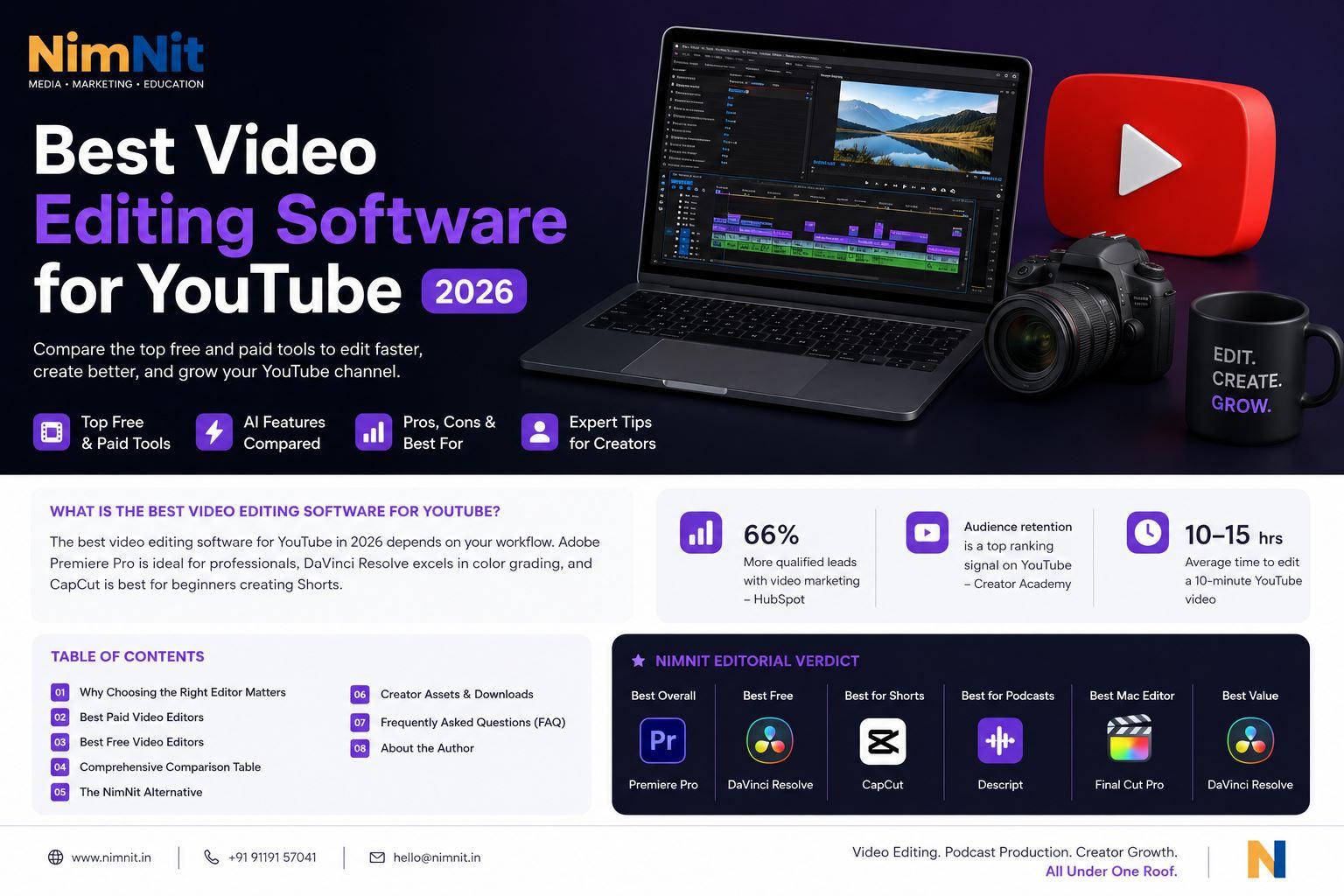
What is the Best Video Editing Software for YouTube? The best video editing software for YouTube in 2026 depends on your workflow. Adobe Premiere Pro is ideal for professionals, DaVinci Resolve excels in color grading, and CapCut is best for beginners creating Shorts.
Are you spending more time editing your YouTube videos than actually filming them? The creator economy tools have rapidly evolved, meaning choosing the best YouTube editor in 2026 is critical to your channel's growth and monetization.
Whether you need the best software for YouTube Shorts, the best video editor for vloggers, an agile platform for a gaming channel, or a robust suite for a faceless channel editor, picking the right platform determines how effectively you can build an audience retention strategy.
Table of Contents
- Why Choosing the Right Editor Matters
- Best Paid Video Editing Software for YouTube
- Best Free Video Editing Software in India
- Premiere Pro vs DaVinci Resolve
- NimNit Editorial Verdict
- When Should You Outsource Editing?
- How NimNit Helps Creators Scale
- Related Reading
- Frequently Asked Questions (FAQ)
- Companies Mentioned
- Recommended Schemas
Why Choosing the Right Editor Matters
According to the YouTube Creator Academy, audience retention remains one of the strongest engagement signals to trigger algorithmic growth. Retention comes from precise pacing, visual hooks, B-roll integration, and clean audio.
A clunky editor will frustrate you and delay your publishing schedule. Conversely, utilizing an AI video editor accelerates your workflow and elevates your production value, transforming average footage into binge-worthy content. Furthermore, according to HubSpot's State of Marketing Report, video marketers generate significantly more qualified leads annually when producing high-quality content.
Best Paid Video Editing Software for YouTube
If you are ready to invest in your business, these premium tools offer the ultimate control, leveraging generative AI editing and advanced timeline management.
1. Adobe Premiere Pro
The undisputed industry standard from Adobe. Premiere Pro continues to dominate the YouTube space due to its vast ecosystem.
- Best For: Serious creators, corporate storytelling, and professional production teams.
- Pros: Unmatched integration with After Effects and Photoshop. Explore the official Adobe Premiere Pro documentation to see powerful new AI generative tools.
- Cons: Steep learning curve and a monthly subscription model.
2. Final Cut Pro (Mac Only)
Apple's flagship editor is celebrated for its blistering speed and intuitive magnetic timeline.
- Best For: Mac users who need to edit 4K/8K footage rapidly without dropped frames.
- Pros: Blazing fast render times on Apple Silicon and a one-time purchase fee.
- Cons: Only available on macOS.
Best Free Video Editing Software in India
You don't need a massive budget to start. Finding the best editor under ₹10,000—or entirely free—is fully possible in 2026.
3. DaVinci Resolve by Blackmagic Design
The king of free software. DaVinci Resolve offers Hollywood-grade color grading completely free of charge.
- Best For: Creators focused on cinematic color, short films, and high-end video storytelling.
- Pros: Unbeatable free version with 95% of the features you need. Read the Blackmagic Resolve Guide for advanced node workflows.
- Cons: Requires a powerful PC/Mac to run smoothly.
4. CapCut (Desktop & Web)
CapCut has evolved from a mobile app into an absolute powerhouse desktop editor, especially for fast-paced content. It is arguably the best software for YouTube Shorts.
- Best For: Shorts creators, vloggers, and beginners focused on TikTok and Instagram Reels.
- Pros: Built-in trendy effects, unparalleled auto-captions powered by models similar to OpenAI, and minimal hardware requirements.
5. Other Notable Mentions
For fast edits, Descript offers text-based editing making it the best software for podcast videos. Filmora provides easy drag-and-drop templates, while Canva is fantastic for simple social media slides and graphics.
Premiere Pro vs DaVinci Resolve
When deciding between the two industry heavyweights, it ultimately comes down to your budget and workflow.
| Software | Price | AI Tools | Captions | Color Grading | Ease of Use |
|---|---|---|---|---|---|
| DaVinci Resolve | Free ($295 Studio) | Basic AI tracking | Good | Industry Best | High |
| Premiere Pro | $20.99/mo | Advanced Generative AI | Excellent | Good | High |
Premiere Pro is the go-to for collaborative agency environments and deep animation integration, whereas DaVinci Resolve offers an unbeatable value proposition for solo creators focused on breathtaking color pipelines.
NimNit Editorial Verdict
Based on our agency's hands-on experience, here is our definitive ruling for 2026:
- 🏆 Best Overall: Premiere Pro
- 💸 Best Free: DaVinci Resolve
- 📱 Best for Shorts: CapCut
- 🎙️ Best for Podcasts: Descript
- 🍏 Best Mac Editor: Final Cut Pro
- ⚖️ Best Value: DaVinci Resolve Studio
When Should You Outsource Editing?
Even with the best tools and YouTube workflow automation, editing is a full-time job. A 10-minute polished YouTube video can easily take 10 to 15 hours to cut, grade, mix, and optimize.
You should outsource editing when your time spent editing actively prevents you from scripting, filming, and growing your business. Outsourcing is the ultimate growth hack for scaling content production.
How NimNit Helps Creators Scale
At NimNit, we take your raw footage and turn it into highly engaging, retention-optimized videos. We handle the technical heavy lifting so you can focus entirely on being the creative visionary.
Ready to publish more videos without spending nights editing? Book a free 30-minute strategy call with NimNit and discover how creators, educators, founders and podcasters are scaling content production while focusing on what they do best—creating.
Related Reading
- Corporate Video Production Services
- Podcast Production Services
- Voice Over Services
- Creator Collective
- Student Training
- More Insights
Frequently Asked Questions (FAQ)
How much does a YouTube editor cost? Freelance YouTube editors typically charge between ₹2,500 to ₹25,000+ per video depending on the length, complexity, and their level of expertise. Agencies often charge retainers starting from ₹50,000/month for consistent bulk editing.
Can CapCut replace Premiere Pro? For short-form content (TikTok, Reels, Shorts) and basic vlogs, CapCut can completely replace Premiere. However, for cinematic narratives, heavy color grading, and complex multicam edits, Premiere Pro remains vastly superior.
What editor do MrBeast editors use? MrBeast's team is known to use Adobe Premiere Pro heavily due to its seamless integration with Adobe After Effects, which they use for advanced visual effects, motion tracking, and graphics.
What is the best editor for YouTube Shorts? CapCut is universally considered the best editor for Shorts due to its robust mobile app, highly accurate auto-captions, trendy built-in transitions, and fast export times.
What is the best Mac video editor? Final Cut Pro is the best-optimized video editor for Mac. It is built natively by Apple to utilize Apple Silicon chips, resulting in incredibly fast rendering and timeline scrubbing without proxy files.
What is the best Windows video editor? DaVinci Resolve and Adobe Premiere Pro are tied for the best Windows editors. Resolve is preferred for colorists and budget-conscious creators, while Premiere is ideal for collaborative agency environments.
Can AI edit videos automatically? Yes, tools like Descript and Opus Clip use AI to automatically edit videos by cutting out silences, tracking active speakers, and generating engaging short-form clips from long podcasts.
How long does editing a YouTube video take? On average, editing a 10-minute high-retention YouTube video takes between 8 to 15 hours. This includes cutting raw footage, adding B-roll, sound design, color correction, and exporting.
Companies Mentioned
- Adobe
- Apple
- Blackmagic Design
- ByteDance (CapCut)
- Canva
- Descript
- Filmora
- OpenAI
- YouTube
Recommended Schemas
- Article
- BreadcrumbList
- FAQPage
- Organization
- Author
- Review
- VideoObject
About the Author
Reviewed by Team NimNit This guide was thoroughly reviewed and fact-checked by the NimNit Editorial Team, specializing in YouTube content production, podcast editing, and creator growth strategies in India.
About NimNit Media & Production
NimNit is a premium media production and digital marketing company based in Jaipur, Rajasthan. We specialize in conceptualizing cinematic video storylines, producing broadcast-quality podcasts, and managing high-retention social media marketing campaigns that drive authentic business growth. Under the strategic direction of RJ Chhavi, our team of directors, cinematographers, and audio engineers helps brands transition from traditional marketing to brand-owned media.
Whether you require cinematic corporate films, product video shoots, sound design, voice-overs, or local SEO campaigns in Jaipur, we deliver commercial-grade production with complete intellectual property ownership. Explore our comprehensive media services or contact our Jaipur studio to schedule a brand strategy consultation.
Frequently Asked Questions
What services does NimNit offer in Jaipur?
We offer end-to-end media services including corporate video production, commercial video editing, professional podcast hosting and recording, voice-over services in Hindi and English, and performance-based social media management.
How does NimNit optimize video campaigns for ROI?
Unlike standard videographers, we integrate marketing psychology and retention algorithms into our shoots. We repurpose flagship films into multi-platform short-form assets to maximize your content distribution budget.